
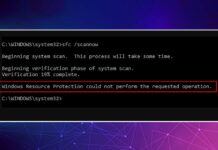
How to Fix ‘Windows Resource Protection Could Not Perform the Requested Operation’ Error
Windows Resource Protection, also known as WRP, is a vital process that protects your important system files, folders, and registry keys from being replaced....

How to run Malwarebytes and Windows Defender at the same time
Windows Security is configured to turn itself off whenever it detects a third-party security program. When you install Malwarebytes, Windows Defender will stop its...

7 Best Methods to Fix Undoing Changes Made to Your PC
The 'Undoing Changes Made to your computer' screen is not an error. Still, it can put your computer into a boot loop, preventing you...
How to Block Users From Installing Programs in Windows 11
You can set Windows 11 to install apps only from the Microsoft Store - doing so will block every third-party app installation on your...
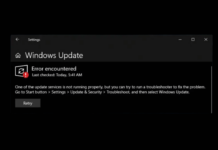
7 Best Ways to Fix Windows update error 0x8024a203
There's no specific reason for the Windows update error 0x8024a203. It's likely triggered due to network problems, conflict with third-party softwares, incomplete or corrupted...
How to Clear Windows Defender Protection History on Windows 11
On the Protection History screen, you will see all detections, such as Viruses, Malware, Potentially Unwanted Apps, etc. It also shows you the actions...
How to Check WiFi Signal Strength on Windows 11
WiFi Signal Strength is a crucial factor in internet speed and stability. Here are some of the best ways to check WiFi signal strength...

3 Best Ways to Disable Error Reporting in Windows 11
The error reporting feature is available on every Windows version, and it shows alerts after a specific program or system crash. Many users want to...

How to View All User Accounts on Windows 11
We are pretty sure that you may have added many user accounts to your Windows 11 PC over time. What about knowing all the...

How to Disable Laptop Internal Keyboard on Windows 11
If you use an external keyboard on your laptop, you may want to disable the built-in keyboard to preserve battery life. Here's how you...